|
Sending multiple objects
|   |
|
Sending multiple objects
| |
It is possible to send multiple objects provided they have the same workflow and are in the same workflow stage.
To send multiple objects
Multiple Send window is displayed.
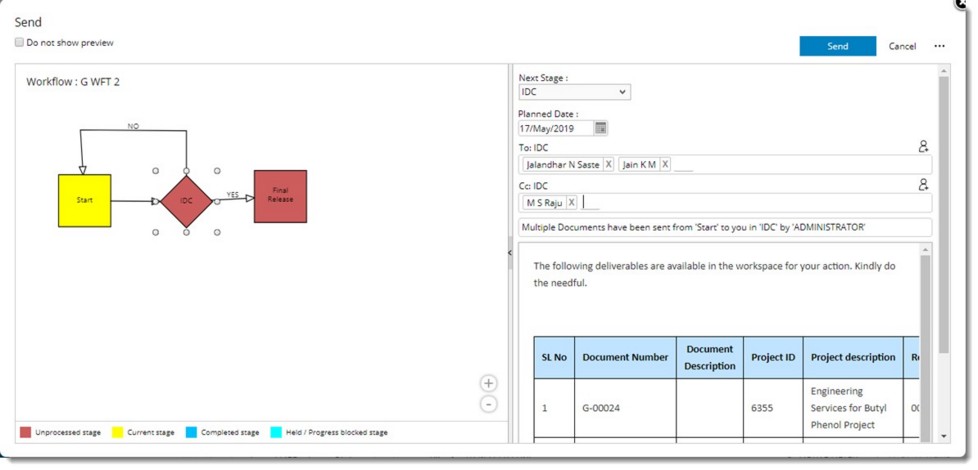
Figure: Multiple Send window
In the right pane of the Multiple Send window details regarding the deliverables is displayed.
Items Sent successfully message is displayed. Selected documents are sent to the next stage.
While sending multiple documents, in the Send window there is an option to Re-direct. On clicking Re-direct the following window is displayed.
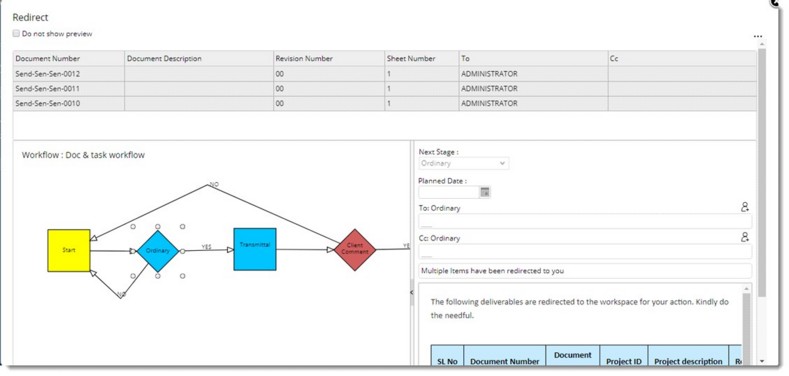
Figure: Re-direct window
NOTE: When the user has defined a custom property during the send operation and if the user proceeds to send multiple documents using the send option, a window for updating custom properties is displayed. Here user can select multiple documents and update its custom property in a single instance.